

OpenAI's 7 October update lets ChatGPT create interactive tools with buttons, charts and editable inputs. The calculator appears on screen inside ChatGPT, and you use it there in the same conversation.
If the feature is available in your Chat tab, describe the decision and the numbers you'd like to change. Ask ChatGPT to build an interactive calculator you can use directly in the chat. You should be able to edit the inputs on screen and see the result update.
For example, imagine a job paying $1,200, with $60 in travel costs. You expect it to take 18 hours. After travel, that leaves $63.33 an hour, before tax and any other costs. If it takes 24 hours, that falls to $47.50. The price hasn't changed, but you might feel quite differently about accepting it.
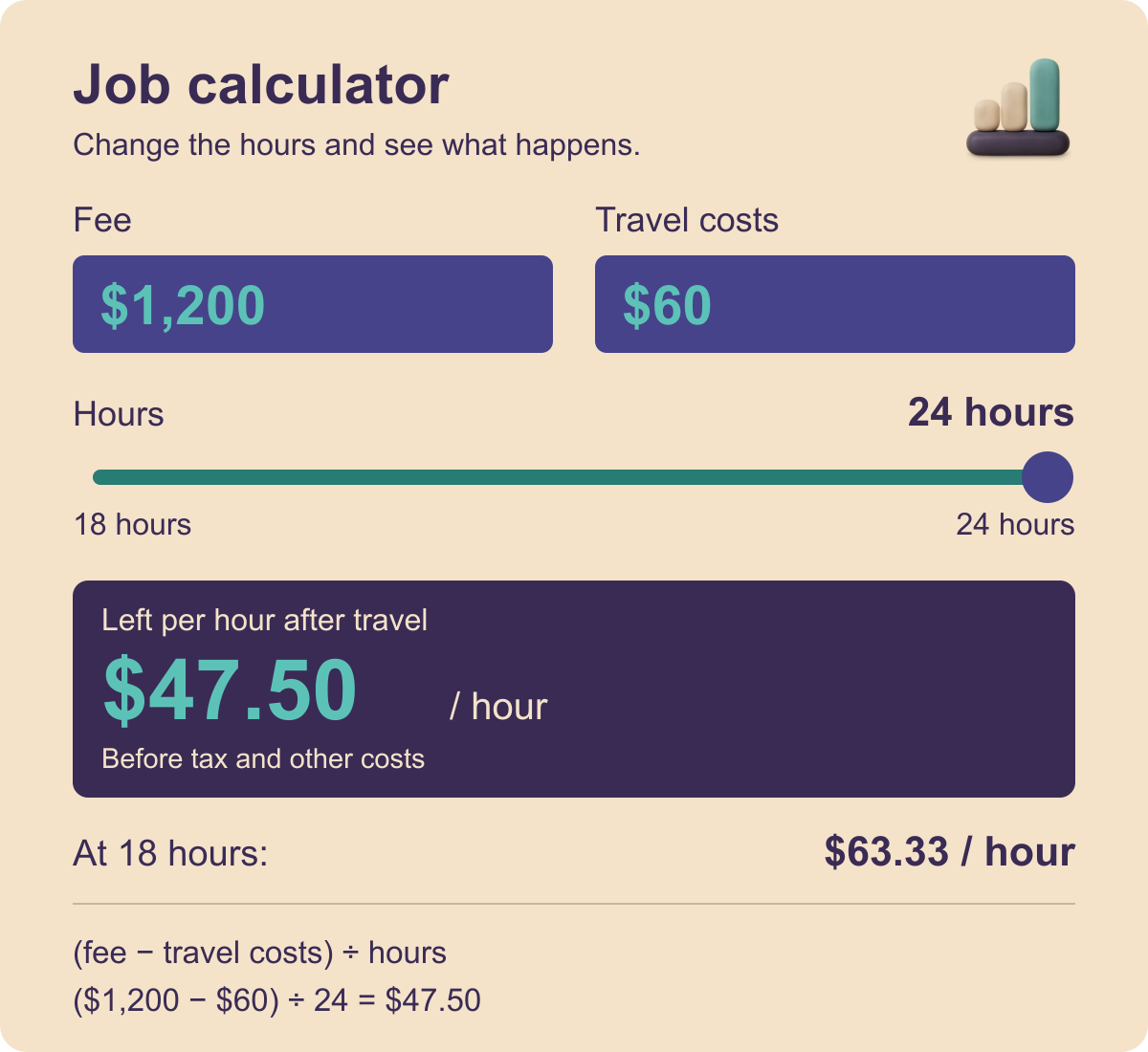
You can ask for something like this. Replace the teal figures in square brackets with your own numbers before pasting.
Build an interactive calculator that appears on screen and works inside this ChatGPT conversation for deciding whether a job is worth taking. Give me editable fields for the fee, hours and travel costs, and update the result when I change them. Use US dollars. Start with a [$1,200] fee, [18 hours] and [$60] travel. Show what is left per hour after travel, using (fee minus travel) divided by hours. Label it before tax and other costs. Keep the formula visible. Then let me change the hours to [24 hours].
After ChatGPT builds it, try changing the fields in the tool instead of asking the same question again. What fee would make the longer job worthwhile? What if you need a second trip? You're still making the decision, but you have something easier to work with than a paragraph telling you it depends.
Check one calculation yourself before using it. In this example, $1,140 divided by 24 should give $47.50. Check that the tool is using the formula you asked for, with your figures in the right places.
OpenAI calls this Intelligent UI. It began rolling out on 7 October in ChatGPT's Chat tab, first to paid plans and then Free and Go. Enterprise access depends on workplace settings, so it may not appear for everyone yet. This update applies to ChatGPT's Chat tab. It works in Chat, but not with the reasoning setting labelled Pro. If you don't see Intelligent UI, update your ChatGPT app to the latest version and try again. Access still depends on the rollout and workplace settings.
Also in this issue
The news I picked out on 13 October 2026. Some of it may have moved on since.
- ChatGPTUpload a meeting recording instead of typing it all out
ChatGPT now accepts audio files for transcripts, summaries and follow-up email drafts. It's available on paid plans, with access depending on workspace settings, region, app version and model. Check names, figures and decisions against the recording: transcripts can contain errors.
- ClaudeA lower-cost Claude model for routine jobs
Anthropic's new Haiku 5.5 is aimed at quick, repetitive work such as summaries and sorting information. The company says it costs around 75% less to run than Haiku 4.5 on average. That figure compares the cost of running the two models.
- GeminiYour phone camera can help read a label or find an object
Google's Guided Vision gives spoken descriptions through Gemini Live on Android 9 or later, in supported regions and languages. Developed with blind and low-vision users, it can read small print or help find an object. It can make mistakes and isn't a navigation aid.