

I showed an example of this in my Digital Profit Formula Summit talk. I needed to quote a website for an existing client. We were already working on a book together, and the number of revisions made me wary of offering another job on the same terms.
There were three reasonable choices: offer a loyalty discount, quote a clearly limited job with extra changes charged separately, or wait until the book was finished. I asked my AI board to argue it out.
The useful part was giving each adviser a different concern. One looked at the money, one at the client relationship, one at the workload and one at the customer's point of view. The recommendation was to send a proposal with a smaller initial scope and spell out what would cost extra.
You can try the same approach in an ordinary chat. Choose a decision you're actually facing: taking on a job, hiring some help, buying software or changing what you charge. Explain the options, what you're leaning towards and the facts that matter. Include what's awkward about it.
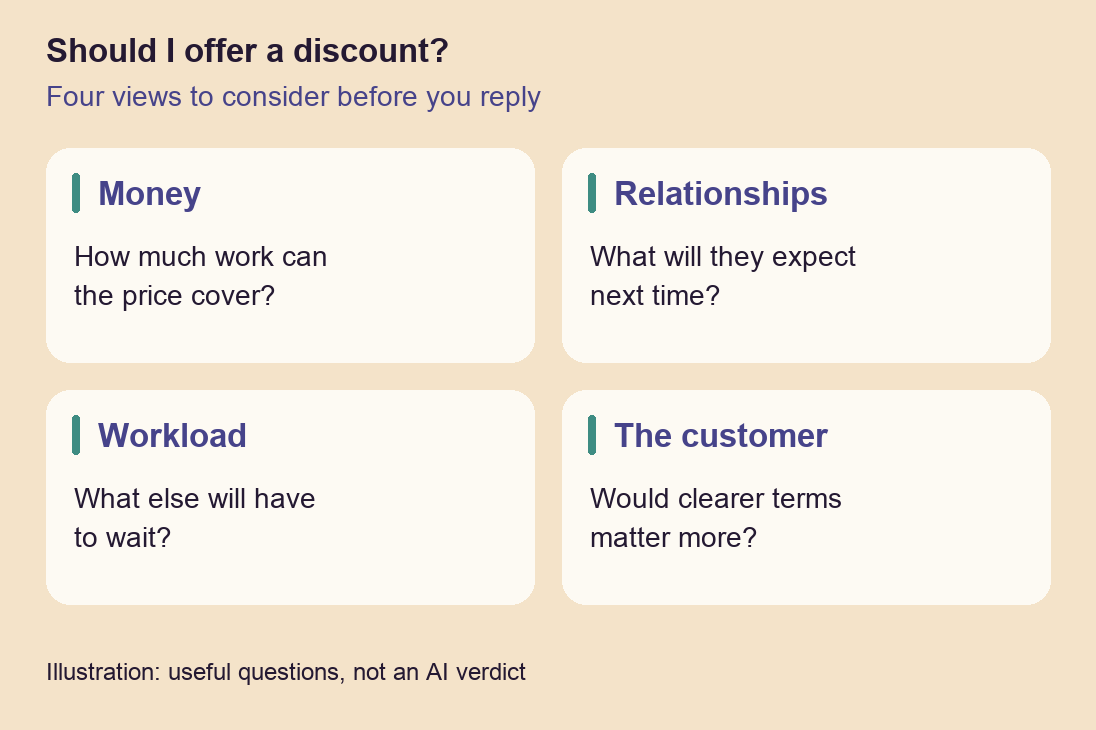
Then ask for four separate views before asking for a recommendation:
Money
What will each option cost, and what has to happen for it to pay? With a discount, the question is how much work you can still afford to include.
Relationships
What expectation are you setting? A favour for a regular customer may make sense, but will they expect the same arrangement next time?
Workload
What are you committing to, and what will have to wait? A profitable job can still be a poor choice if you've got no room to deliver it properly.
The customer
What would make the offer useful and fair from their side? They may care more about a clear delivery date or knowing what's included than a lower price.
Ask each adviser to make its strongest case, including where it disagrees with your preferred choice. Then look at what would change the answer. If the recommendation depends on getting the work done in ten hours, for example, check that against a similar job you've actually done.
Four AI voices aren't four independent experts. They can share the same mistaken assumption. I use them to expose the trade-offs and questions I've missed; I still make the decision.
The next time you're about to say yes to something, try this before drafting the reply. You may end up making the same choice, but with clearer terms and a better understanding of what you're taking on.
This is one part of my talk for the Digital Profit Formula Summit. In the full video, I show how I use AI across both my businesses: drafting a client reply with the project's history already to hand, working through a pricing decision, turning it into a branded proposal, and using AI for research and promotional films. You can see the actual work and the results on screen, including where I step in to check or make a decision.
If you've mostly used AI for the occasional question or first draft, this will give you a much fuller picture of what you could do with it. Set aside half an hour and have a look. There are several ideas you can borrow for your own business, even if you only start with one. Watch the full 33-minute talk here.
Also in this issue
The news I picked out on 17 November 2026. Some of it may have moved on since.
- OpenAICheck how your business appears in ChatGPT.
OpenAI has announced a beta that lets eligible businesses in supported countries claim a profile, provide business information and product feeds, and see some aggregated discovery insights. Claiming a profile is separate from its Business Agents feature, which initially targets eligible US e-commerce and online service businesses. If your business is eligible, checking that its details are accurate is a sensible place to start before paying anyone to improve your visibility in AI. A profile does not guarantee a particular ranking or more traffic.
- Google WorkspaceReusable instructions are coming to Google Workspace.
Google says its new Workspace skills let teams save instructions, examples and reference files for a task, then share a copy with colleagues. You could put together a set of instructions for turning meeting notes into a client update, for example. Sharing creates independent copies, so later edits do not automatically reach everyone. The English-only rollout is staged and may not have reached your account yet; it does not cover Sheets or Meet at launch.